A clear practice-wide view
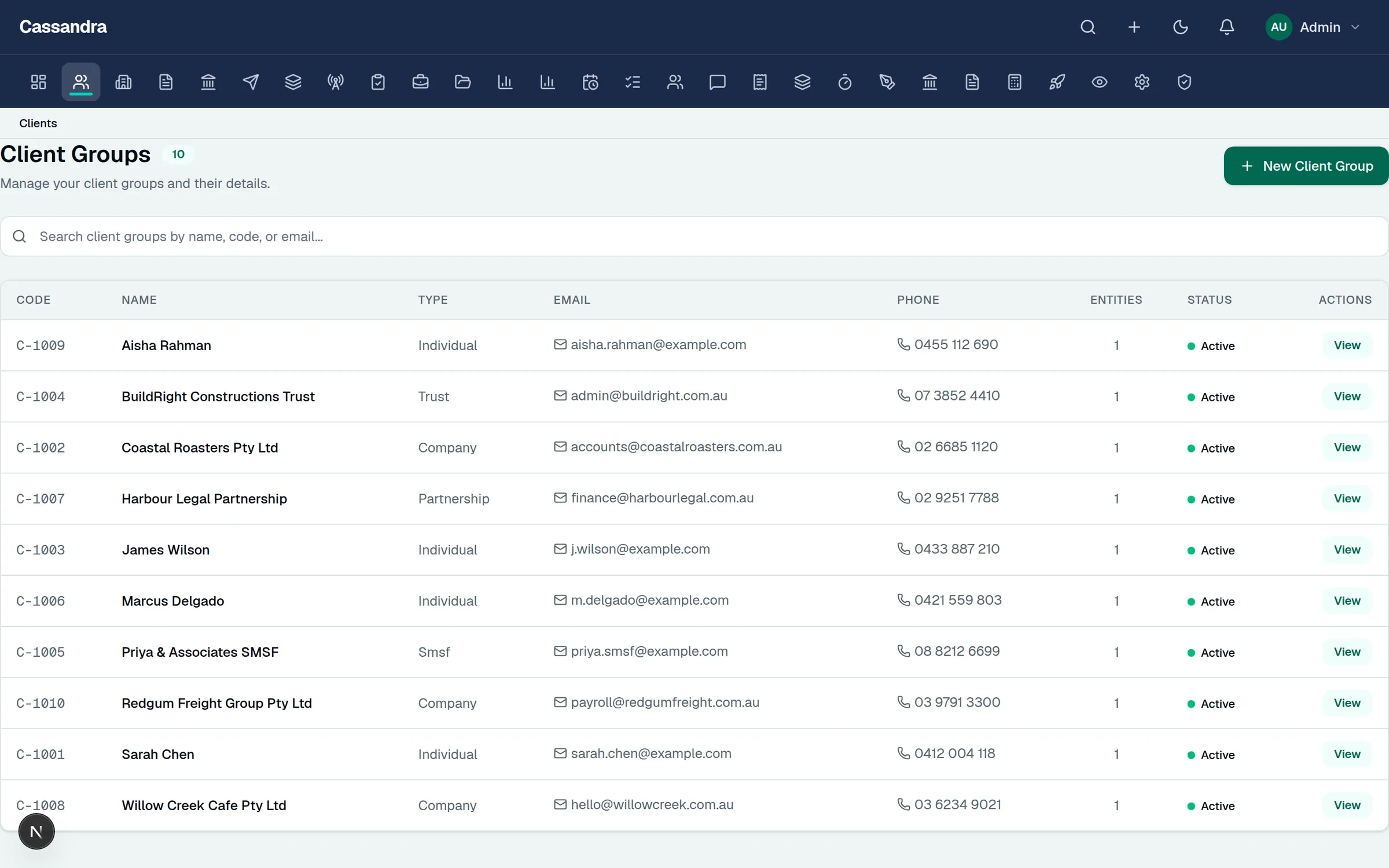
See active work, approaching deadlines, review queues, and the next action across every client group.
For Australian tax practices and their clients
Give tax agents one clear view of returns, review, deadlines, and client requests. Give clients a simple way to send documents, follow progress, and sign.
Practice accounts are created by registered tax agents. Clients join through a private invitation from their accountant. Current editable return coverage is FY2025.
For tax agents
From the first request to partner approval, every action stays connected to the client, entity, and return it belongs to.
See active work, approaching deadlines, review queues, and the next action across every client group.
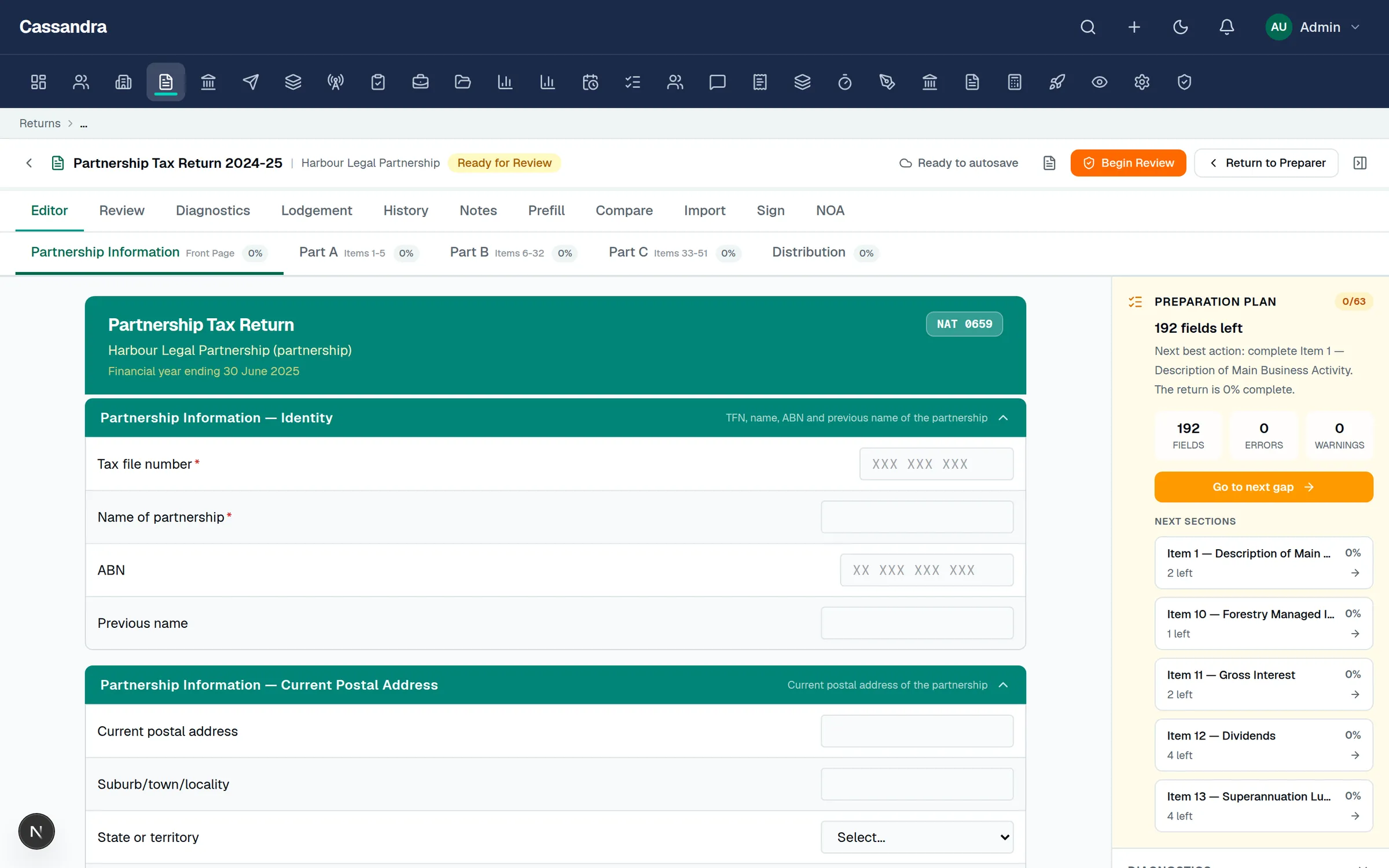
Keep preparation, workpapers, notes, documents, decisions, and history connected to the same return.
Give preparers and reviewers a shared view of completion, open questions, and approval status.
Track document requests, messages, signatures, and reminders without searching across separate inboxes.
For clients
Your accountant remains your point of contact. Cassandra Tax gives you one simple place to complete the actions they share with you.
See requests and outstanding actions in one place instead of piecing them together from email threads.
Upload requested files through the private portal connected to your accountant's practice.
See the status of your tax work and the next step your accountant has shared with you.
Respond to your accountant, review documents, and complete signature requests from the same portal.
A typical client journey
Go straight to the client and entity your accountant shared.
Work through the requests that are relevant to your tax work.
Know when the practice is waiting on you and when work has moved forward.
Complete the final client action without starting a new email chain.
Clients enter through the private invitation sent by their accountant. There is no separate public client signup.
Inside the workspace
The return itself and the practice work around it stay connected, so the next action remains visible without adding another disconnected system.
Return preparation
Section-by-section preparation, completion status, warnings, notes, review, and history stay close to the work instead of living in separate files.
Practice administration
Track responsibilities, work in progress, invoices, and client status without losing the connection to the return and client relationship.
How it works
The practice sees the whole workflow. Clients see only the requests, documents, messages, and approvals that are relevant to them.
The practice invites the client and sends a clear list of information or documents needed.
Client responses, source documents, accounting data, and return details stay connected.
The team prepares the return, works through open items, and completes the review process.
Clients receive the right documents at the right time and the practice can see what is still waiting.
Final status, supporting records, and the history of the job remain together for future reference.
Australian tax work
The current release provides FY2025 editors for the listed return types and supporting work. Confirm the exact product coverage your practice needs during onboarding.
Connected data
Bring accounting information into a consistent preparation and review process, then keep client communication and signing connected to the job.
Bring eligible accounting data into the tax preparation workflow.
Prepare client ledger data for migration and tax work.
Bring accounting information into a consistent review process.
Map spreadsheet data when a direct accounting connection is not the right fit.
Send documents for signature and keep their status with the return.
Keep invitations and requests moving with email notices and private portal messages.
Security and privacy
Protecting client information needs clear access, stronger sign-in, and a record of important activity. Practices can also review the privacy approach and current safeguards.
Additional sign-in verification helps protect access to practice and client information.
Team members and clients see the information and actions intended for them.
Private tax and identity information is handled with safeguards designed for sensitive records.
Key changes and decisions remain visible so the practice can understand what happened and when.
Pricing
Prices shown are published prices in AUD. GST treatment, billing terms, plan availability, and activation are confirmed before payment during onboarding.
For small practices moving off spreadsheets or legacy desktop tax workflows.
$149/ month
or $1,490 billed annually
For firms needing review workflow, BAS command centre, WIP, and team controls.
$349/ month
or $3,490 billed annually
For multi-partner firms that need stronger automation, integrations, and portal rollout.
$799/ month
or $7,990 billed annually
The limits and inclusions shown here are current at publication. Confirm the right plan, billing cadence, and required product coverage before activation.
Frequently asked questions
What the workspace does, who can join, and what to confirm before relying on a particular workflow.
Cassandra Tax is an Australian tax practice workspace. It brings client and entity records, return preparation, document requests, team review, signatures, deadlines, and activity history together in one place.
Practice accounts are intended for registered tax agents and the teams working under their supervision. Registration asks the practice to provide its Tax Agent Registration Number and confirm its eligibility.
Clients do not need to create a practice account. Their accountant sends a private invitation that takes them to the client portal for the relevant client and entity.
The current release provides FY2025 preparation paths for individual, company, trust, partnership, and SMSF returns, activity statements, fringe benefits tax, taxable payments reports, and selected schedules. Confirm the exact workflow you need during onboarding.
Production ATO submission is not enabled in the current release. Cassandra Tax can support preparation, review, approval, and lodgement-readiness work while the required product approvals and practice access are completed.
Access is restricted to authorised people, additional sign-in verification is used for practice accounts, sensitive information is protected, and important activity is recorded. The Privacy policy explains how personal information is handled.
Published pricing starts at $149/month for the Launch plan. Practice and Scale plans add capacity and workflow features for larger teams. Prices shown are published prices in AUD. GST treatment, billing terms, plan availability, and activation are confirmed before payment during onboarding.
Ready for a calmer tax workflow?
Tax agents can create a practice account. Clients should use the private invitation sent by their accountant.